
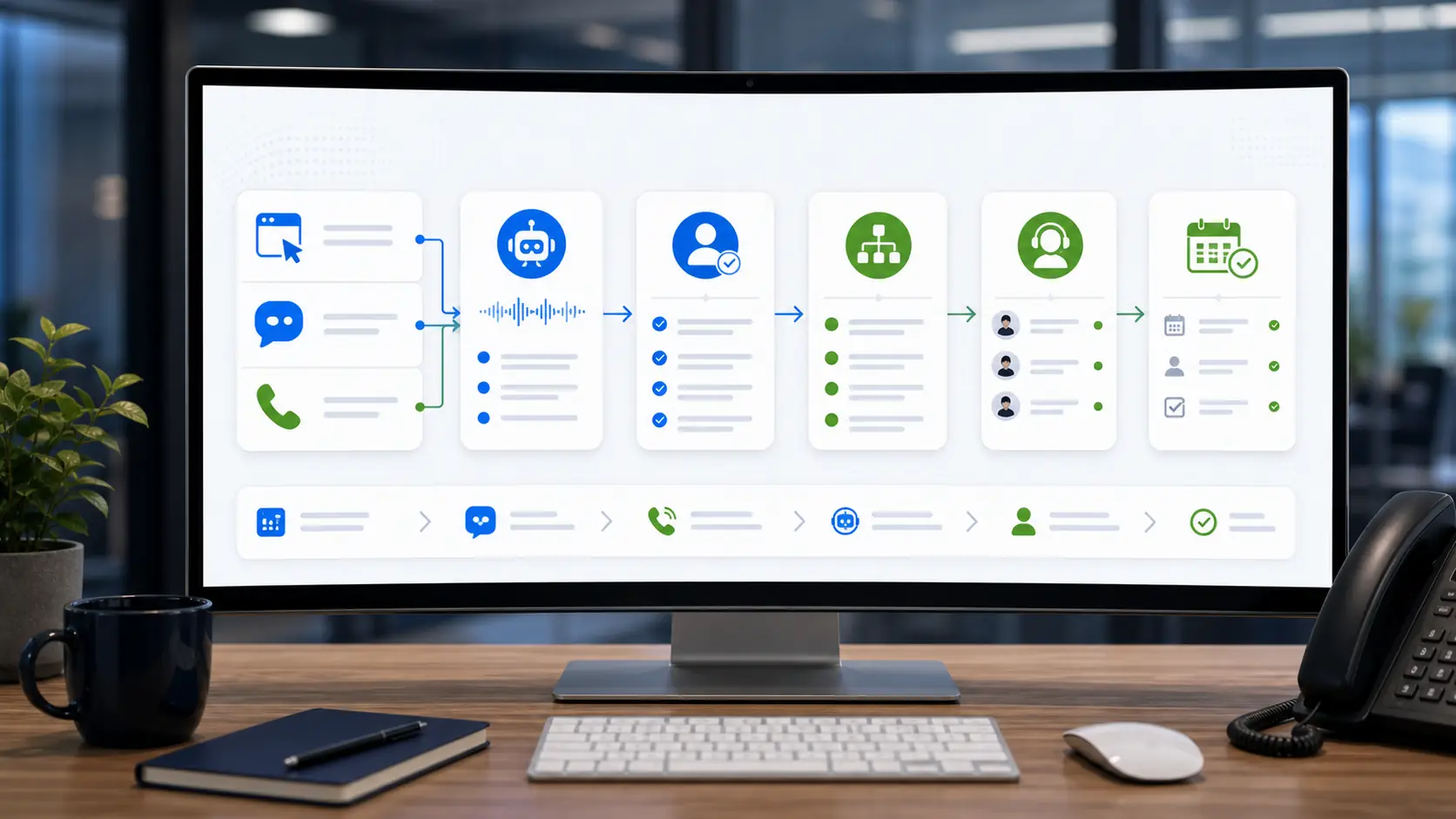
Different channels should reach one operating model
A customer may start with website chat, call from a mobile search result, submit a form, respond to a missed-call message, or move between several of those channels. If each channel creates a separate inbox, the business can lose context and duplicate work. Routing begins by defining a shared record for the customer request.
The shared record should capture where the contact started, who the customer is, what service they need, the conversation or message details, urgency, and the requested next step. The business can then apply the same ownership and status rules regardless of the original channel.
Classify before assigning
Routing works best when the intake identifies a small number of meaningful categories. Common examples include new service request, estimate request, appointment change, existing job question, billing question, support issue, employment inquiry, and out-of-scope request. The categories should match decisions the business actually makes.
Avoid creating dozens of labels that staff cannot remember. Start with the categories that change who should respond or what should happen next. Additional detail can remain in the request summary without becoming a routing branch.
Every route needs an owner and destination
A routing rule is incomplete if it only sends a notification. Define the person or team responsible, the system or queue where the record lives, the status applied at creation, and the expected next action. The destination might be a scheduler, owner review queue, sales inbox, support workflow, or approved custom dashboard.
Fallback ownership matters too. If a category is unclear, the request should go to a monitored review queue rather than disappear. If the primary person is unavailable, the business should know who can reassign or resolve the record.
Confirmation should match the route
The customer-facing confirmation should reflect the action that actually occurred. A form can confirm receipt. A chatbot can summarize the request and say it is waiting for review. A voice workflow can confirm that a callback was requested. None of those messages should claim that an appointment or price is confirmed unless the connected system completed that action.
When possible, keep the wording consistent across chat, calls, and forms. Customers should not receive conflicting expectations simply because they used a different contact channel.
Preserve context through follow-up
The person responding should see what the customer already provided. Repeating every question creates frustration and wastes the value of the intake. Include the transcript or summary, captured fields, source page, call time, previous contact references, and any routing reason that helps the responder understand the record.
Status changes should also remain visible. New, assigned, contacted, awaiting customer, scheduled, completed, declined, and closed are examples, but the final set should match the business. A clear status makes reports useful and reduces duplicate follow-up.
- Use a shared request record across chat, calls, missed calls, and forms.
- Create only categories that change ownership or next action.
- Give every category a destination, owner, fallback, and starting status.
- Confirm receipt without promising an unverified outcome.
- Carry the original conversation and captured details into follow-up.
Start with a small routing map and test it
A simple routing map that staff understand is better than a complex one that nobody maintains. Begin with the highest-volume customer paths, run realistic tests, and review where records are misclassified or delayed. Add rules only when a repeated business need is clear.
The final test is operational: can the business see every request, identify who owns it, understand what the customer needs, and determine the next action? When the answer is yes, the website becomes part of a connected intake system rather than a collection of separate contact buttons.
Retest the map whenever services, staffing, schedules, or business systems change. Routing remains reliable only when the documented destinations and ownership rules still match daily operations.